Introduction
You've built the same thing in three Filament projects. Maybe it's an audit log, a settings page, or a small widget your clients keep asking for. Each time you copy the classes across, fix the namespaces and hope you didn't miss a file. At some point it becomes obvious: this should be a plugin.
Also Read: Claude Code & Cursor on Filament: AI Agent Rules That Work
Filament has one of the busiest plugin ecosystems in the Laravel world. The official plugin directory passed 1,000 plugins in September 2026, and at the time of writing lists 1,053 plugins from 474 authors. Some of them are small free helpers. Others, like Advanced Tables and Custom Dashboards, are premium products that pay their authors real money.
This series walks through the whole journey, end to end, using Filament v5:
- Understand how plugins work (this post)
- Scaffold a plugin with the official plugin skeleton
- Build a panel plugin: resources, widgets and per-panel config
- Style it properly: assets, Tailwind v4, dark mode and translations
- Test it with Pest, Testbench and PHPStan
- Become a Filament plugin author and publish your plugin
- Sell a premium Filament plugin
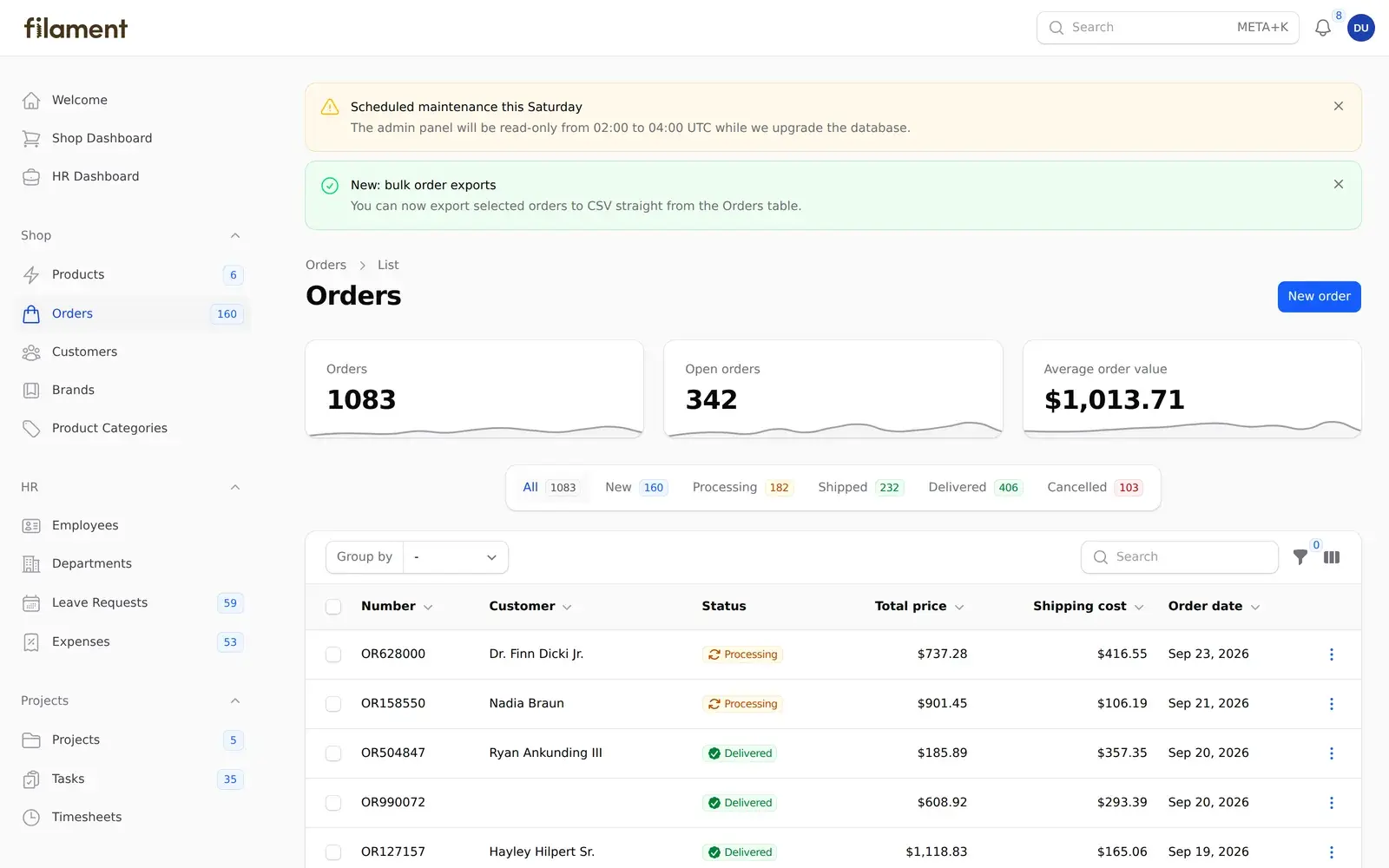
Throughout the series we build a real plugin called Filament Announcements, and every screenshot comes from it running in a real Filament v5.8 app.
What Is a Filament Plugin?
A Filament plugin is a Laravel package that extends Filament. There is nothing magical about it. It's installed with Composer, it has a service provider, and it registers views, translations, migrations and routes the same way any Laravel package does.
Also Read: Auto-Post to LinkedIn PHP from Laravel (2026 Guide)
On top of that, Filament gives plugins two extra things:
- A Plugin object that hooks into a panel's configuration, so your package can register resources, pages, widgets, render hooks and assets on the panels that use it.
- An asset manager (
FilamentAsset) that publishes your CSS, JavaScript and Alpine components, and can load them only when they're needed.
The official docs recommend getting comfortable with three things before you start: Laravel package development, Spatie's Laravel Package Tools, and Filament's asset system. We cover all three as we go, so you don't need to be an expert up front.
Panel Plugins vs Standalone Plugins
Filament's plugin documentation describes two kinds of plugin.
Panel plugins are used inside a Filament panel. They add resources, pages, widgets, themes or whole features to an admin panel. Examples include a blog module, user management, or a dashboard widget. They're configured through a Plugin class that the user registers on a panel:
use TheWebTier\FilamentAnnouncements\FilamentAnnouncementsPlugin;

public function panel(Panel $panel): Panel
{
    return $panel
        // ...
        ->plugin(FilamentAnnouncementsPlugin::make());
}
Standalone plugins work outside the panel builder. They add components you can drop into any Filament form, table or infolist, like a custom form field, a table column or a filter. They don't use the Plugin class at all. Everything is configured in the service provider.
The two aren't mutually exclusive. Plenty of popular plugins ship a panel plugin and a handful of reusable components in the same package.
Also Read: Create a LinkedIn Developer App for Laravel (2026)
| Panel plugin | Standalone plugin | |
|---|---|---|
| Typical contents | Resources, pages, widgets, render hooks, themes | Form fields, table columns, filters, infolist entries |
| Registered with | $panel->plugin(...) | Just installing the package |
| Configured in | A class implementing Filament\Contracts\Plugin | The service provider |
| Per-panel settings | Yes | No |
| Example in this series | Filament Announcements | A custom component (Part 4) |
What Changed in Filament v5?
If you've built plugins for Filament v4, good news: almost nothing changes.
Filament v5 was announced in January 2026 alongside Livewire v4. According to the Filament team, "apart from Livewire v4 support, Filament v5 has no additional changes over v4", and new features ship to both major versions. The version bump exists so that apps which don't require livewire/livewire directly don't get their custom Livewire code broken by a routine composer update.
That has two practical consequences for plugin authors:
- The v4 architecture is the v5 architecture. Schemas, the
Filament\Actionsnamespace, the resource folder structure (Schemas/,Tables/,Pages/), Tailwind CSS v4 themes and Heroicon enums all carry straight over. - You can often support both versions from one release, with a constraint like
"filament/filament": "^4.0|^5.0", as long as you don't depend on Livewire-version-specific APIs. Many popular plugins do exactly this. We'll talk about that trade-off in Part 7.
Filament v5's requirements are PHP 8.2+, Laravel 11.28+ and Tailwind CSS v4.1+ (for custom themes). At the time of writing, the latest release is v5.8.4.
Also read: Carbon Immutable vs Mutable in Laravel: Which Should You Use?
The Plugin We'll Build: Filament Announcements
Tutorials that build a "hello world" widget skip the parts that are actually hard, like database migrations, per-panel configuration, assets and testing. So we'll build something small but real.
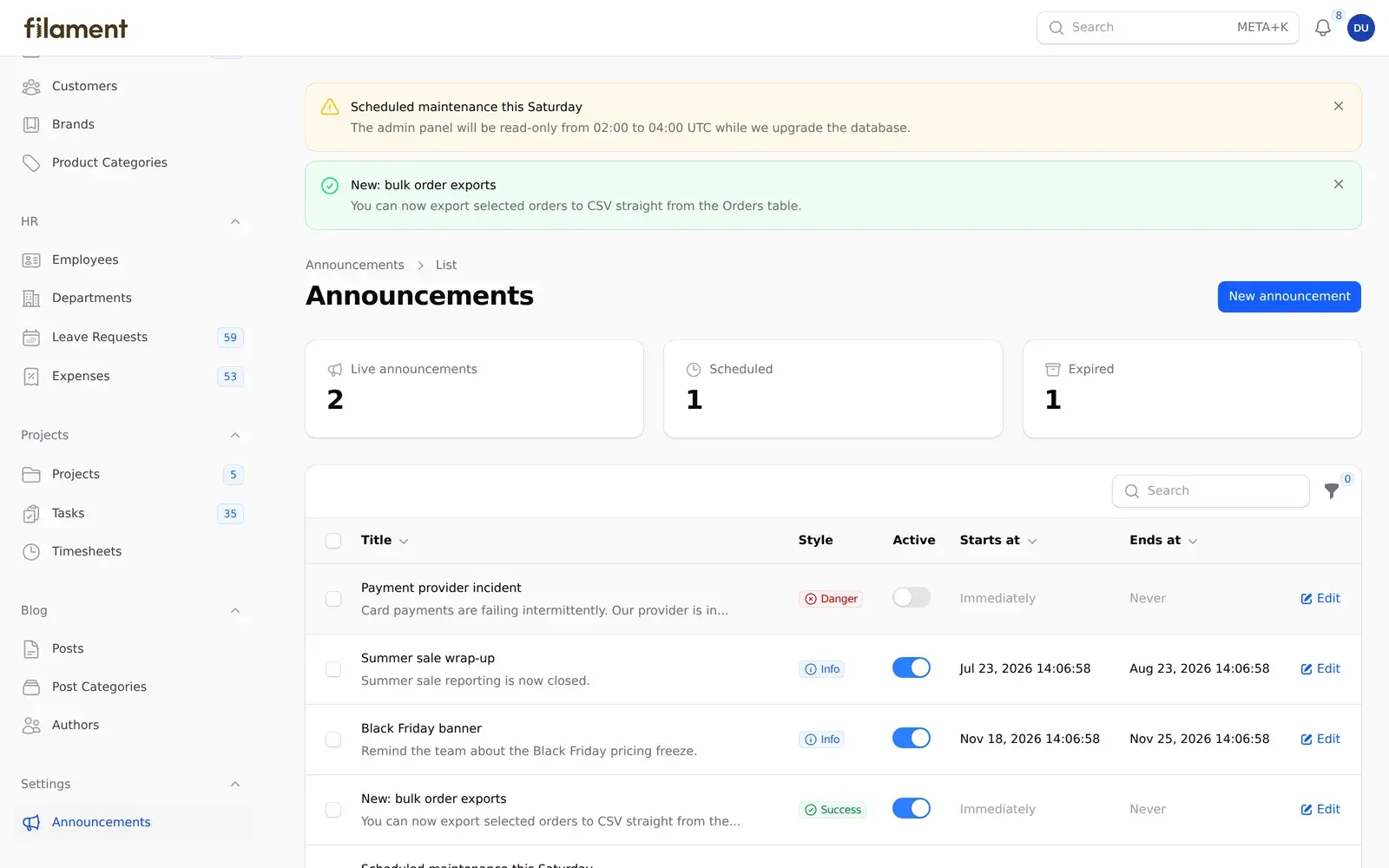
Filament Announcements lets admins schedule banners that appear at the top of every page in a panel:
- Write a title and message, then pick a style (info, success, warning or danger).
- Optionally set a start and end date, so a banner switches itself on and off.
- Choose whether users can dismiss it. A dismissed banner stays dismissed in that browser until you edit it.
- Configure it per panel. For example, you can manage announcements in your
adminpanel and only show them in your customer-facingapppanel.
Also Read: Laravel: Get a LinkedIn
Along the way, the plugin covers most of what you'll need for your own ideas:
- A Plugin class with fluent, per-panel configuration
- A migration, model, factory and enum
- A resource built with Filament v5's schema and table classes
- A stats widget
- A render hook that injects Blade into every page
- A lazy-loaded stylesheet registered through
FilamentAsset - Translations and dark mode support
- A Pest test suite running on Orchestra Testbench
Before You Write Any Code
A few decisions up front will save you a rename later.
Check the directory first
Search the plugin directory for your idea. With over a thousand plugins listed, there's a fair chance something similar exists. That doesn't have to stop you, but your plugin should be clearly different or clearly better. The directory lets you filter by Filament version (3.x, 4.x, 5.x), price and health score, so you can quickly see whether the existing options are still maintained.
Make sure it's actually a Filament plugin
Filament's reviewers will push back if your package is really a general Laravel package with a thin Filament wrapper. A good test: would this still make sense without Filament installed? If yes, consider publishing the Laravel package on its own and building the Filament integration as a separate plugin on top.
Pick your vendor and package name
Your Composer name looks like vendor/package, for example thewebtier/filament-announcements. Packagist protects vendor names once you publish, so choose one you'll keep (usually your GitHub username or organization). Prefixing the package with filament- makes it easier to find.
Also Read: Renew LinkedIn Access Tokens PHP in Laravel (60-Day Fix)
Decide: free or paid?
You can change your mind later, but it affects how you structure the repository. Free plugins live in a public GitHub repository and ship through Packagist. Paid plugins live in a private repository and are distributed through a licensing platform. Filament's official partners are Anystack and Privato. We cover both in Part 7.
What You Need to Follow Along
- PHP 8.2 or newer and Composer 2
- A Laravel 11.28+ app with Filament v5 installed, to use as a playground (
composer require filament/filament:"^5.0"thenphp artisan filament:install --panels) - Node.js, if your plugin compiles any JavaScript
- A GitHub account, which you'll also use to sign in to Filament's author dashboard
- Working knowledge of Filament resources and Laravel service providers
The finished plugin's source code comes with this series, so you can compare your version with a working one at any point.
How a Plugin Plugs In: The Lifecycle
It helps to know what runs when before you open the skeleton:
- Composer autoloads your package and Laravel's package discovery registers your service provider from
extra.laravel.providersin yourcomposer.json. - Your service provider (extending Spatie's
PackageServiceProvider) registers views, translations, migrations and commands, and registers assets withFilamentAssetinpackageBooted(). - The user adds your Plugin object to a panel with
->plugin(YourPlugin::make()). Filament calls your plugin'sregister(Panel $panel)method while it builds that panel, which is where you add resources, pages, widgets and render hooks. - When a request hits that panel, Filament calls your plugin's
boot(Panel $panel)method. It only runs for the panel that's actually in use, so it's the place for work that should only happen when that panel is active.
Keep that order in mind. Most "why isn't my resource showing up?" problems come from doing something in the wrong one of these four places.
Key Takeaways
- A Filament plugin is a normal Laravel package plus a Plugin class (for panels) and Filament's asset manager.
- Panel plugins add resources, pages and widgets to a panel. Standalone plugins add reusable form, table and infolist components. One package can do both.
- Filament v5 is Filament v4 plus Livewire v4, so v4 plugin knowledge transfers directly, and many plugins support both versions.
- Check the directory, confirm your idea is Filament-specific, and choose your vendor name before you start.
- Free plugins ship through Packagist. Paid plugins ship through a licensing platform like Anystack or Privato.
In Part 2, we'll scaffold Filament Announcements with the official plugin skeleton, clean up the boilerplate, and get it running inside a local Filament app.
Also Read: How to Create a WordPress Plugin from Scratch (2026 Guide)
FAQ
Do Filament v4 plugins work with Filament v5?
Usually, yes. Filament v5 only adds Livewire v4 support, so a v4 plugin that doesn't rely on Livewire v3-specific behavior typically needs just a widened constraint like "filament/filament": "^4.0|^5.0". Run your test suite against both versions before you claim support.
Do I need the Plugin class for every plugin?
No. The Plugin class is only for panel plugins. Standalone plugins, such as a custom form field, configure everything in their service provider. Even panel plugins can technically skip it, but you'd lose per-panel configuration.
Can I sell Filament plugins?
Yes. The official directory lists both free and paid plugins, and paid plugins are sold through distribution partners such as Anystack and Privato. See Part 7 for pricing and licensing options.
Which Laravel versions does Filament v5 support?
Filament v5 requires Laravel 11.28 or newer and PHP 8.2 or newer. The official plugin skeleton's CI tests against Laravel 11, 12 and 13.