Now we write code. In this post you'll create a WordPress plugin from an empty folder: the plugin header WordPress needs, actions and filters, a settings page built with the Settings API, a shortcode, and the security and clean-up habits reviewers look for.
Also Read: Filament v5 vs v4: Should You Upgrade Yet? (2026 Verdict)
This is Part 3 of our plugin development series. You should have a local site running from Part 2. By the end of this post, Web Tier Reading Time will be a working plugin you can activate, configure and use.
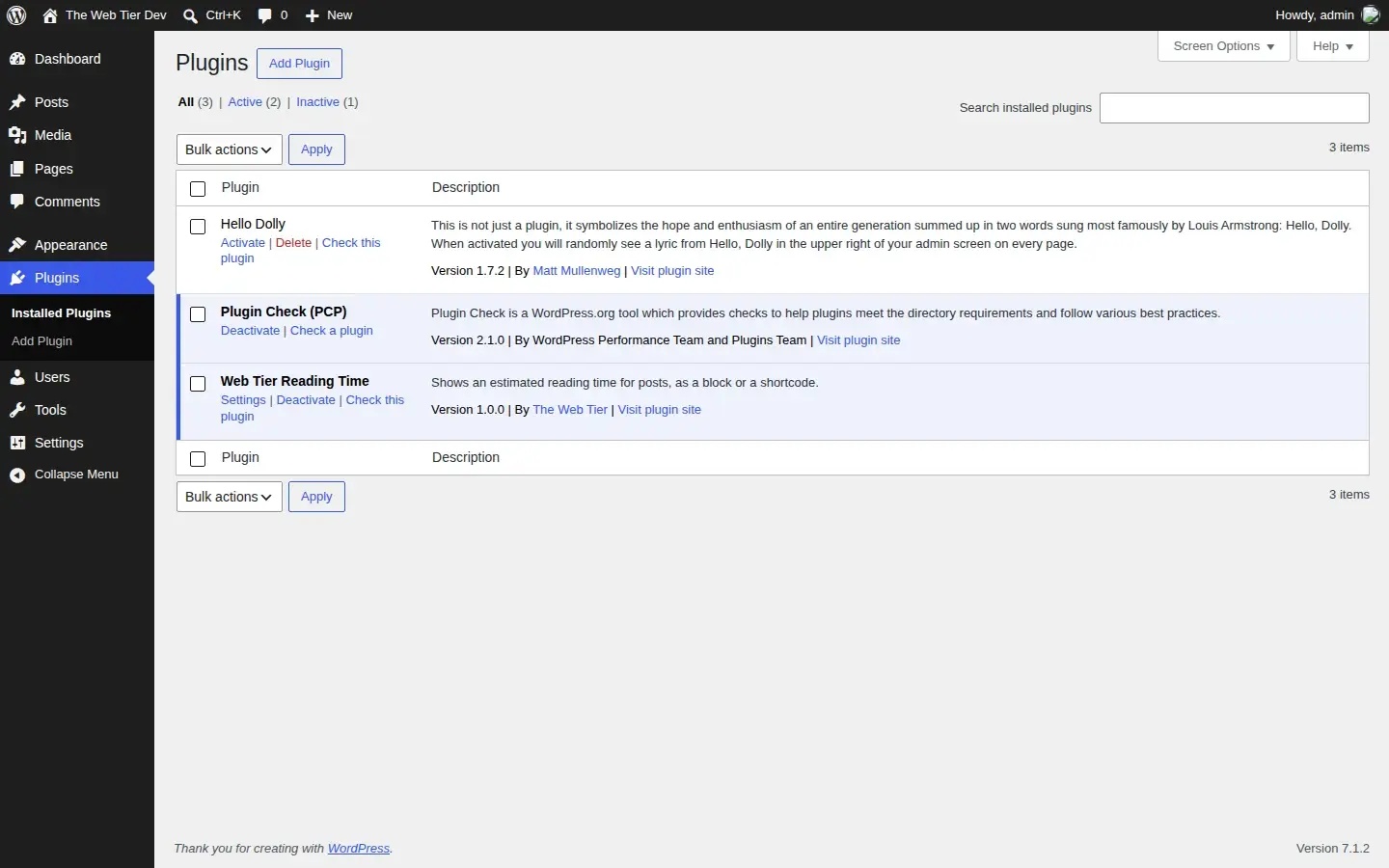
The files we'll create
webtier-reading-time/
├── webtier-reading-time.php   ← main file: header, bootstrapping, hooks
├── includes/
│   ├── functions.php          ← the reading-time calculation
│   └── settings.php           ← Settings → Reading Time page
└── uninstall.php              ← removes our data when the plugin is deleted
A single-file plugin works too, but splitting files early keeps things readable as the plugin grows.
Also Read: Laravel and PHP
Step 1: The main plugin file and header
WordPress finds plugins by scanning wp-content/plugins/ for PHP files that start with a plugin header comment. Only Plugin Name is required, but a directory-ready plugin should include the rest.
Create webtier-reading-time.php:
<?php
/**
 * Plugin Name:       Web Tier Reading Time
 * Plugin URI:        https://thewebtier.com/
 * Description:       Shows an estimated reading time for posts, as a block or a shortcode.
 * Version:           1.0.0
 * Requires at least: 6.8
 * Requires PHP:      7.4
 * Author:            The Web Tier
 * Author URI:        https://thewebtier.com/
 * License:           GPL-2.0-or-later
 * License URI:       https://www.gnu.org/licenses/gpl-2.0.html
 * Text Domain:       webtier-reading-time
 *
 * @package WebtierReadingTime
 */

// Stop direct access: this file should only ever be loaded by WordPress.
if ( ! defined( 'ABSPATH' ) ) {
	exit;
}

define( 'WEBTIER_RT_VERSION', '1.0.0' );
define( 'WEBTIER_RT_PATH', plugin_dir_path( __FILE__ ) );

require_once WEBTIER_RT_PATH . 'includes/functions.php';
require_once WEBTIER_RT_PATH . 'includes/settings.php';
What the header fields do:
| Header | What it's for |
|---|---|
Plugin Name | Shown on the Plugins screen. It also becomes your WordPress.org slug when you submit, so choose it carefully. |
Version | Must match Stable tag in readme.txt when you release (Part 5). |
Requires at least / Requires PHP | WordPress blocks activation on older versions, so users get a clear message instead of a fatal error. We need 6.8 for the block registration function in Part 4. |
License | Must be GPL-compatible for WordPress.org. |
Text Domain | Must match your plugin slug (the folder name). Used for translations. |
Requires Plugins | Optional. A comma-separated list of WordPress.org slugs your plugin depends on, such as woocommerce. WordPress won't activate your plugin until they're active. |
Update URI | Optional. Only for plugins updated from somewhere other than WordPress.org. Leave it out for directory plugins. |
The full list is in the header requirements page of the Plugin Handbook.
Why the
ABSPATHcheck? If someone requests/wp-content/plugins/webtier-reading-time/webtier-reading-time.phpdirectly, WordPress isn't loaded and your code could run out of context. Every PHP file in a plugin should start with this guard. Plugin Check flags files that don't have it.
Step 2: Prefix everything
Your functions share a global namespace with WordPress and every other plugin on the site. Two plugins that both declare get_reading_time() cause a fatal error. The fix is a unique prefix on every global name: functions, constants, options, hooks, shortcodes, and script and style handles.
Also Read: Filament on Laravel 13: PHP The Complete Compatibility Checklist
We use webtier_rt_ for functions and options and WEBTIER_RT_ for constants. PHP namespaces or classes are equally valid. What matters is being consistent and distinctive. Prefixes shorter than 4 characters, or common words like wp_ or plugin_, are commonly flagged in review.
Step 3: Write the core logic
Create includes/functions.php. It holds the calculation, with no WordPress output yet:
<?php
/**
 * Reading-time helpers.
 *
 * @package WebtierReadingTime
 */

if ( ! defined( 'ABSPATH' ) ) {
	exit;
}

/**
 * Returns the saved words-per-minute value, kept within a sensible range.
 *
 * @return int
 */
function webtier_rt_get_wpm() {
	$wpm = absint( get_option( 'webtier_rt_wpm', 200 ) );

	return min( 1000, max( 50, $wpm ) );
}

/**
 * Estimates the reading time of a post in whole minutes (minimum 1).
 *
 * @param int $post_id Post ID.
 * @return int
 */
function webtier_rt_calculate( $post_id ) {
	$post = get_post( $post_id );

	if ( ! $post ) {
		return 1;
	}

	$text  = wp_strip_all_tags( strip_shortcodes( $post->post_content ) );
	$words = preg_split( '/\s+/u', trim( $text ), -1, PREG_SPLIT_NO_EMPTY );
	$count = is_array( $words ) ? count( $words ) : 0;

	return max( 1, (int) ceil( $count / webtier_rt_get_wpm() ) );
}

/**
 * Formats minutes as a translatable string, e.g. "4 min read".
 *
 * @param int $minutes Minutes.
 * @return string
 */
function webtier_rt_format( $minutes ) {
	return sprintf(
		/* translators: %d: number of minutes. */
		_n( '%d min read', '%d min read', $minutes, 'webtier-reading-time' ),
		$minutes
	);
}
A few things are deliberate here:
- We count words with a Unicode-aware
preg_split()rather thanstr_word_count(), which only understands ASCII letters and undercounts most non-English text. _n()is the plural-aware translation function. English uses the same text for both forms here, but other languages don't. The/* translators: */comment tells translators what%dmeans.- The saved value is clamped with
min()/max()when it's read, so the plugin still behaves if the database holds something odd.
Step 4: Hooks, the heart of every plugin
WordPress runs actions (points where you can do something) and filters (points where you can change a value). Plugins attach callbacks to them:
add_action( 'hook_name', 'your_callback', $priority = 10, $accepted_args = 1 );
add_filter( 'hook_name', 'your_callback', $priority = 10, $accepted_args = 1 );
Let's use both. Add these to the main plugin file, below the require_once lines.
An activation hook stores the default setting once, when the plugin is activated:
/**
 * Runs once when the plugin is activated: store the default setting.
 */
function webtier_rt_activate() {
	add_option( 'webtier_rt_wpm', 200 );
}
register_activation_hook( __FILE__, 'webtier_rt_activate' );
A shortcode, [webtier_reading_time], works in classic content, widgets and the Shortcode block:
/**
 * Shortcode: [webtier_reading_time label="Reading time:"]
 *
 * @param array|string $atts Shortcode attributes.
 * @return string HTML output.
 */
function webtier_rt_shortcode( $atts ) {
	$atts = shortcode_atts(
		array(
			'label' => '',
		),
		$atts,
		'webtier_reading_time'
	);

	$minutes = webtier_rt_calculate( get_the_ID() );

	return sprintf(
		'<span >%s</span>',
		esc_html( trim( $atts['label'] . ' ' . webtier_rt_format( $minutes ) ) )
	);
}
add_shortcode( 'webtier_reading_time', 'webtier_rt_shortcode' );
Two rules here. Shortcodes return their HTML and never echo it. And the label comes from user input, so it's escaped with esc_html() on output.
Also Read: Laravel: Build a Multi-Tenant
Step 5: A settings page with the Settings API
Users should be able to set their own reading speed. The Settings API handles the form, the nonce, saving and error display for you. You describe the setting and write a sanitize callback.
Create includes/settings.php:
<?php
/**
 * Settings page: Settings → Reading Time.
 *
 * @package WebtierReadingTime
 */

if ( ! defined( 'ABSPATH' ) ) {
	exit;
}

/**
 * Registers the setting, its section and its field.
 */
function webtier_rt_register_settings() {
	register_setting(
		'webtier_rt',
		'webtier_rt_wpm',
		array(
			'type'       => 'integer',
			'default'      => 200,
			'sanitize_callback' => 'webtier_rt_sanitize_wpm',
		)
	);

	add_settings_section(
		'webtier_rt_main',
		__( 'Reading speed', 'webtier-reading-time' ),
		'__return_false',
		'webtier-reading-time'
	);

	add_settings_field(
		'webtier_rt_wpm',
		__( 'Words per minute', 'webtier-reading-time' ),
		'webtier_rt_render_wpm_field',
		'webtier-reading-time',
		'webtier_rt_main',
		array( 'label_for' => 'webtier_rt_wpm' )
	);
}
add_action( 'admin_init', 'webtier_rt_register_settings' );

/**
 * Sanitizes the words-per-minute value before it is saved.
 *
 * @param mixed $value Raw value from the form.
 * @return int
 */
function webtier_rt_sanitize_wpm( $value ) {
	$value = absint( $value );

	return ( $value < 50 || $value > 1000 ) ? 200 : $value;
}

/**
 * Prints the number input.
 */
function webtier_rt_render_wpm_field() {
	printf(
		'<input type=number id="webtier_rt_wpm" name=webtier_rt_wpm value="%1$s" min="50" max="1000" step="10" /> <p >%2$s</p>',
		esc_attr( webtier_rt_get_wpm() ),
		esc_html__( 'Average adult reading speed is about 200–250 words per minute.', 'webtier-reading-time' )
	);
}

/**
 * Adds the page under Settings.
 */
function webtier_rt_add_settings_page() {
	add_options_page(
		__( 'Reading Time', 'webtier-reading-time' ),
		__( 'Reading Time', 'webtier-reading-time' ),
		'manage_options',
		'webtier-reading-time',
		'webtier_rt_render_settings_page'
	);
}
add_action( 'admin_menu', 'webtier_rt_add_settings_page' );

/**
 * Renders the settings page.
 */
function webtier_rt_render_settings_page() {
	if ( ! current_user_can( 'manage_options' ) ) {
		return;
	}
	?>
	<div >
		<h1><?php echo esc_html( get_admin_page_title() ); ?></h1>
		<form action="options.php" method="post">
			<?php
			settings_fields( 'webtier_rt' );
			do_settings_sections( 'webtier-reading-time' );
			submit_button();
			?>
		</form>
	</div>
	<?php
}

/**
 * Adds a "Settings" link on the Plugins screen.
 *
 * @param array $links Existing action links.
 * @return array
 */
function webtier_rt_action_links( $links ) {
	$url = admin_url( 'options-general.php?page=webtier-reading-time' );
	array_unshift( $links, '<a href="' . esc_url( $url ) . '">' . esc_html__( 'Settings', 'webtier-reading-time' ) . '</a>' );

	return $links;
}
add_filter( 'plugin_action_links_' . plugin_basename( WEBTIER_RT_PATH . 'webtier-reading-time.php' ), 'webtier_rt_action_links' );
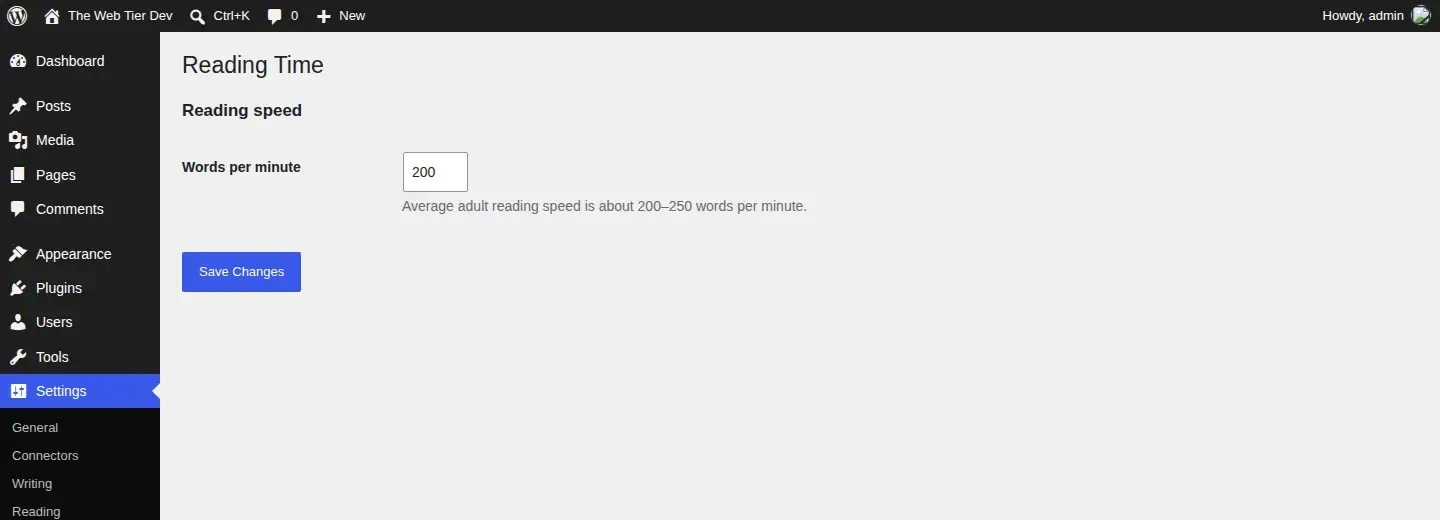
Activate the plugin and open Settings → Reading Time:
Also Read: Claude Code & Cursor on Filament: AI Agent Rules That Work - Laravel
Note what we didn't have to write. settings_fields() prints a nonce and the hidden fields. options.php checks the nonce and the manage_options capability. The sanitize callback runs before anything reaches the database.
Step 6: The four security rules reviewers check
Most plugins rejected on security grounds break one of these rules. Learn them now and apply them everywhere:
- Sanitize input. Clean data when it comes in, using functions such as
sanitize_text_field(),absint(),sanitize_key(),esc_url_raw()andwp_kses_post(). Alsowp_unslash()any$_POST/$_GETvalues before sanitizing. - Escape output. Escape data when it's printed, with the escaping function that matches the context:
esc_html(),esc_attr(),esc_url(),wp_kses_post(),esc_js(). Escape as late as possible, ideally on the same line as theecho. - Verify intent with nonces. Any form or action that changes data needs
wp_nonce_field()/check_admin_referer()(orwp_verify_nonce()in AJAX and REST). The Settings API does this for you. - Check capabilities. A nonce proves the request came from your form, not that the user is allowed to do the action. Always check
current_user_can()too.
The official guides: Sanitizing, Escaping, Nonces and Checking user capabilities.
Step 7: Clean up on uninstall
When someone deletes your plugin (not just deactivates it), you should remove what you stored. Create uninstall.php in the plugin root:
<?php
/**
 * Runs when the plugin is deleted from the Plugins screen.
 *
 * @package WebtierReadingTime
 */

if ( ! defined( 'WP_UNINSTALL_PLUGIN' ) ) {
	exit;
}

delete_option( 'webtier_rt_wpm' );
The WP_UNINSTALL_PLUGIN check makes sure the file only runs when WordPress is really uninstalling the plugin.
Deactivate vs uninstall: deactivation is often temporary, for example while debugging. Never delete user data on deactivation. Use
register_deactivation_hook()only for things like clearing scheduled cron events.
Step 8: Make it translatable
Our plugin is already translation-ready, because every user-facing string goes through __(), esc_html__() or _n() with the webtier-reading-time text domain. For plugins hosted on WordPress.org:
- The text domain must equal the plugin slug.
- You don't need
load_plugin_textdomain(). Since WordPress 4.6, translations from translate.wordpress.org load automatically. - Don't call translation functions before the
initaction, for example at the top of a file or in a class constructor that runs at load time. Since WordPress 6.7 that triggers a "translation loading triggered too early" notice.
The Internationalization guide has the rest.
Also Read: How to Become a WordPress Plugin Developer (2026 Roadmap)
Test it
- Activate Web Tier Reading Time under Plugins. You should see the Settings link we added.
- Change the words-per-minute value. Try
5or5000and confirm it falls back to200. - Add
[webtier_reading_time label="Reading time:"]to a post using the Shortcode block, and view the post. - Check
wp-content/debug.log. It should be empty. - Delete the plugin, then check that the
webtier_rt_wpmoption is gone:wp-env run cli wp option get webtier_rt_wpmshould return an error.
FAQ
Should I use classes or functions for my WordPress plugin?
Either works. Functions with a unique prefix are the easiest to follow for a small plugin. Classes and PHP namespaces scale better for larger ones, and PSR-4 autoloading with Composer is common in bigger projects.
Where should I store plugin settings?
For a few values, one option (or one option holding an array) in wp_options is right. Use post meta for per-post data and custom tables only when you truly need them, since they add migration work.
Why is my settings page not saving?
Usually the group name passed to register_setting() doesn't match the one in settings_fields(), or the field's name attribute doesn't match the option name.
Next up
In Part 4: How to Build a Custom Gutenberg Block we add a Reading Time block with @wordpress/create-block: block.json, a React editor component, and a PHP render.php template that reuses the functions we wrote today.